
Blog
How to Find If an Image Is Copyrighted (and Why That Is Slightly the Wrong Question)
5 min read
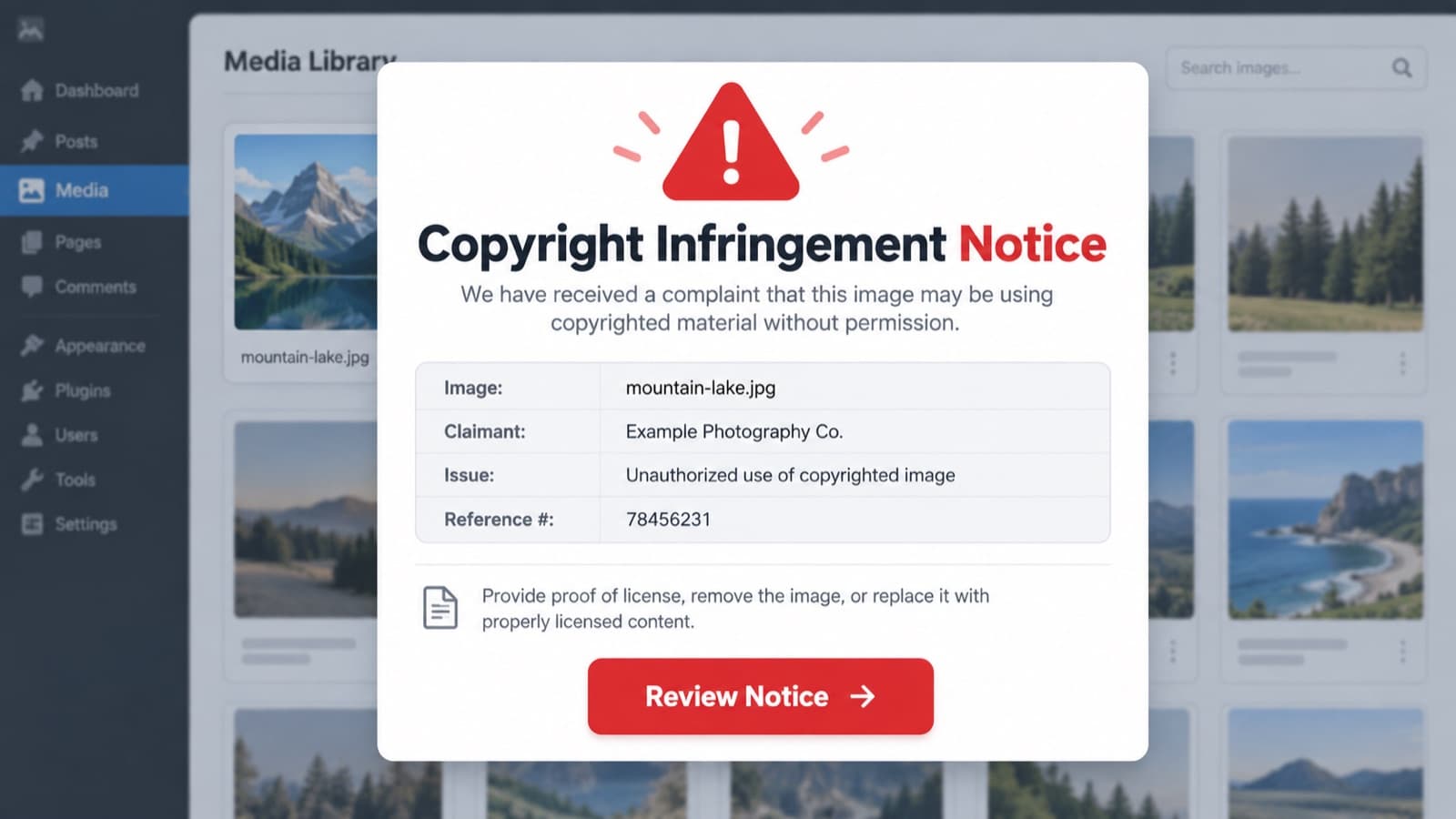
Search this and you will find a dozen articles promising eight proven ways to check. Most of them list the same five tools, none of them tell you what order to use them in, and almost all of them skip the thing you most need to hear.
Which is this. The image is copyrighted. Nearly all of them are.
Copyright attaches automatically the moment a photo is taken and saved. No registration, no symbol, no watermark required. So "is this copyrighted" is a question with a boring and almost always identical answer, and the hours people spend trying to answer it are hours not spent on the question that actually decides whether you can publish: who owns this, and can I get permission.
Here is the order I would work through it, fastest and most conclusive first.
Start inside the file, before you search anything
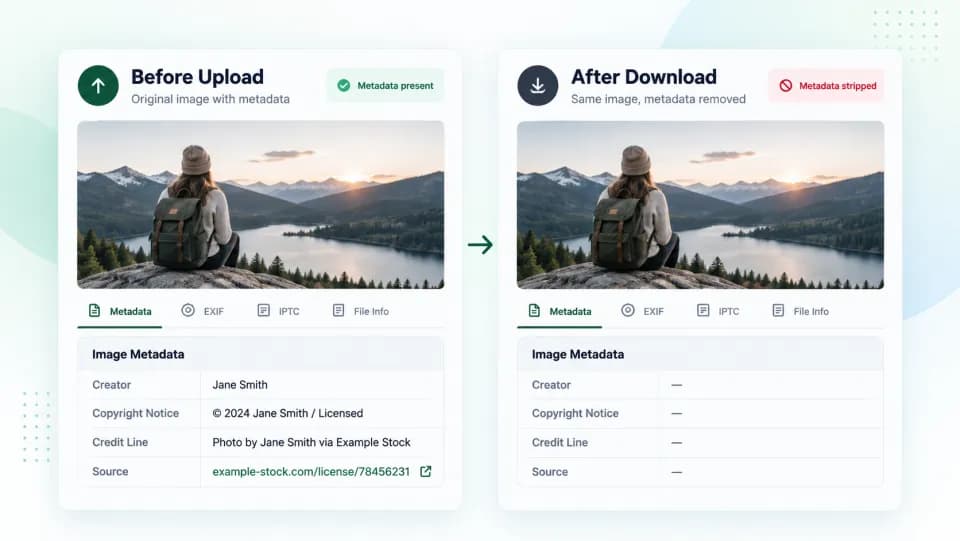
Open the image properties. On a Mac that is Get Info, on Windows it is Details, and any free EXIF viewer will do a better job than either.
You are looking for the IPTC fields rather than the camera settings. Creator, Copyright Notice, Credit Line, Source, and sometimes a licence URL sitting right there in plain text. When these survive, the question is answered in about thirty seconds and you have the owner's name without searching anything.
While you are in there, check for Content Credentials. That is the C2PA provenance standard, increasingly baked into cameras, Adobe tools and several AI generators, and Adobe's free Verify tool will read them out of a file for you. When present it tells you who made the image and what was done to it, which is more than metadata ever managed.
The catch, and it is a big one, is that most of this gets stripped. Social platforms and a lot of CMS resizing pipelines wipe embedded metadata on the way through, so an empty panel tells you nothing at all. Treat a hit as a gift and a miss as no information.
Reverse search, but pick the right engine for the job
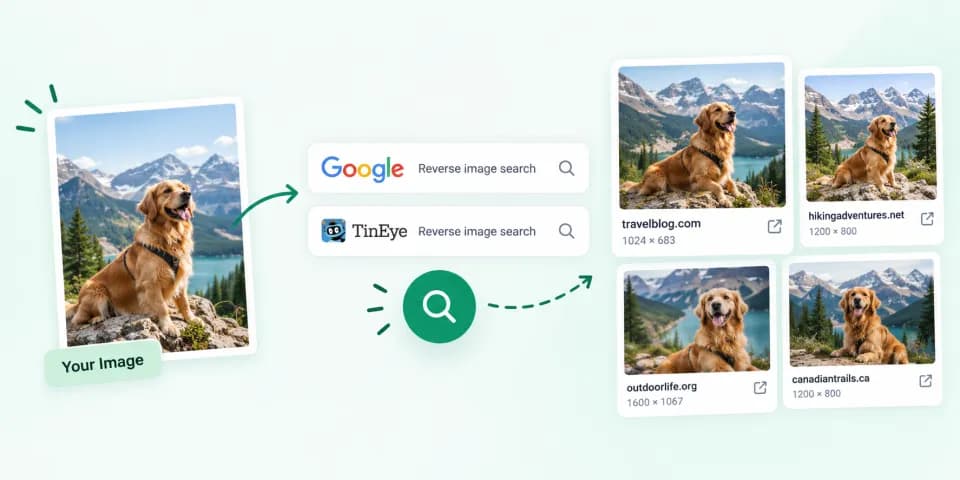
This is where most guides stop, and also where most people use the wrong tool without realising there is a difference.
TinEye and Google Lens do not do the same thing. TinEye looks for that specific file, including cropped, resized and lightly edited versions of it, across an index that passed 77.6 billion images in late 2025. It will not show you visually similar pictures of the same subject, which sounds like a limitation and is actually the point. Sort its results by oldest and you often get the original publication, which is usually the owner.
Google Lens is the opposite. It is brilliant at telling you what a picture is of and where similar pictures live, which is useful for identifying an unfamiliar building or product and much less useful for tracing provenance.
So the sequence is TinEye first with results sorted oldest, then Lens if that comes back empty. Running Lens first and giving up is the single most common mistake in this whole process.
Check the stock libraries on purpose
Reverse search engines do not index every stock catalogue well, and a file that has had its watermark removed will not announce itself.
Getty, Adobe Stock and Shutterstock all let you search by uploading an image. Doing this takes two minutes and catches the specific case that hurts most, which is a stock photo that entered your site through a route nobody can remember. If it turns up in a commercial catalogue, you now know exactly who to pay and roughly what it costs, which is a far better position than the one you were in five minutes ago.
The Copyright Office records are useful, but not for this
Every listicle recommends searching copyright.gov. Here is the honest version.
US registration is optional. Copyright exists without it, so a search that returns nothing tells you precisely nothing about whether the image is protected. Plenty of professional photographers never register, and plenty register in bulk months after the fact.
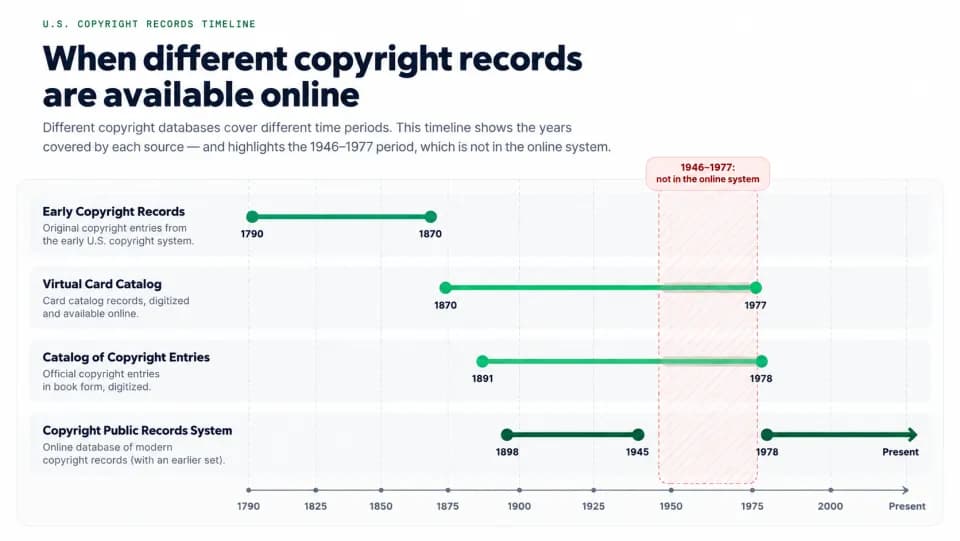
The records are also patchier than people assume. The Copyright Public Records System covers 1898 to 1945 and 1978 to the present, which leaves a thirty-year hole in the middle that you have to go and dig out of the Virtual Card Catalog separately.
Where it genuinely earns its place is the other direction. If you already suspect who owns an image, the records confirm ownership and, more importantly, the registration date. That date decides whether statutory damages and legal fees are available against you, which is the difference between a conversation about a licence fee and a conversation about something much larger.
When you find nothing, which is normal
Most of the time this whole process ends with no owner identified. That is the expected outcome for an undocumented image, not a clean bill of health, and the instinct to read silence as permission is how most of these problems start.
At that point you have three honest options. Buy a licensed replacement, which is usually cheaper than the time already spent. Track down the likely owner and get written permission, which is worth doing for an image you genuinely cannot replace. Or stop using it. What you should not do is leave it live while reasoning that nobody has complained yet, because the people who do this professionally run automated detection and the clock on their claim is not the clock on your memory.
The part that does not scale
Everything above works beautifully for one image and collapses entirely at two thousand.
Ten minutes per image is a reasonable estimate once you include the metadata check, two reverse searches, the stock lookups and writing down what you found. A mid-sized site will swallow several weeks of someone's life doing that properly, which is exactly why it never gets done and why the undocumented pile keeps growing.
That gap is the reason our scanner exists. It crawls the whole site, matches what it finds against the licence sources you actually hold, and sorts the result by risk so you are checking thirty images by hand instead of two thousand.
The free preview covers five images on one site with no card. Run it on your messiest page and see what comes back.